
VPN Profiles, HES Connectivity & Meter Identity
Who is this for: Platform Administrator (Platform ADMIN) Central Operations Team (Platform SERVICE, fleet & HES probes)
1. Managing VPN Profiles (vpn.manage - Platform ADMIN Only)
WattDee supports shared WireGuard, IPsec, and OpenVPN profiles scoped to each solar developer organization so meters across all of that developer's sites can share managed tunnels.
- Open Settings > choose the target Solar developer > click the VPN profiles tab.
- Click Add VPN profile (or select a profile and click Edit settings).
- (Optional) For WireGuard or OpenVPN, expand Import configuration, paste the router/client config text, and click Review imported settings to prefill fields.
- Enter Connection details:
- Connection name and Protocol (
WireGuard,IPsec,OpenVPN). - For WireGuard (Connection mode):
- We dial the site (
dial): Use when the site gateway has a static public IPv4. Enter Peer IPv4 address and Peer port (default51820). - The site dials us (
listen): Use when the site connects over 4G / CGNAT without a public IP. Enter Server UDP port (1024–65535, default51821) and open that UDP port in the server firewall (no peer IP required).
- We dial the site (
- Allowed meter networks (CIDR): e.g.,
10.10.0.0/24(every meter bound to this profile must have an IP within these CIDR ranges). - Fill protocol credentials (WireGuard local tunnel CIDR, peer public key, keepalive; IPsec IKEv1/IKEv2, PSK or PEM certs; OpenVPN UDP/TCP, server cert name, PEM bundle, optional TLS Crypt). Check Replace credentials when rotating keys on an existing profile.
- Connection name and Protocol (
- Click Save VPN connection and verify the status settles on Tunnel established (or Runner ready).
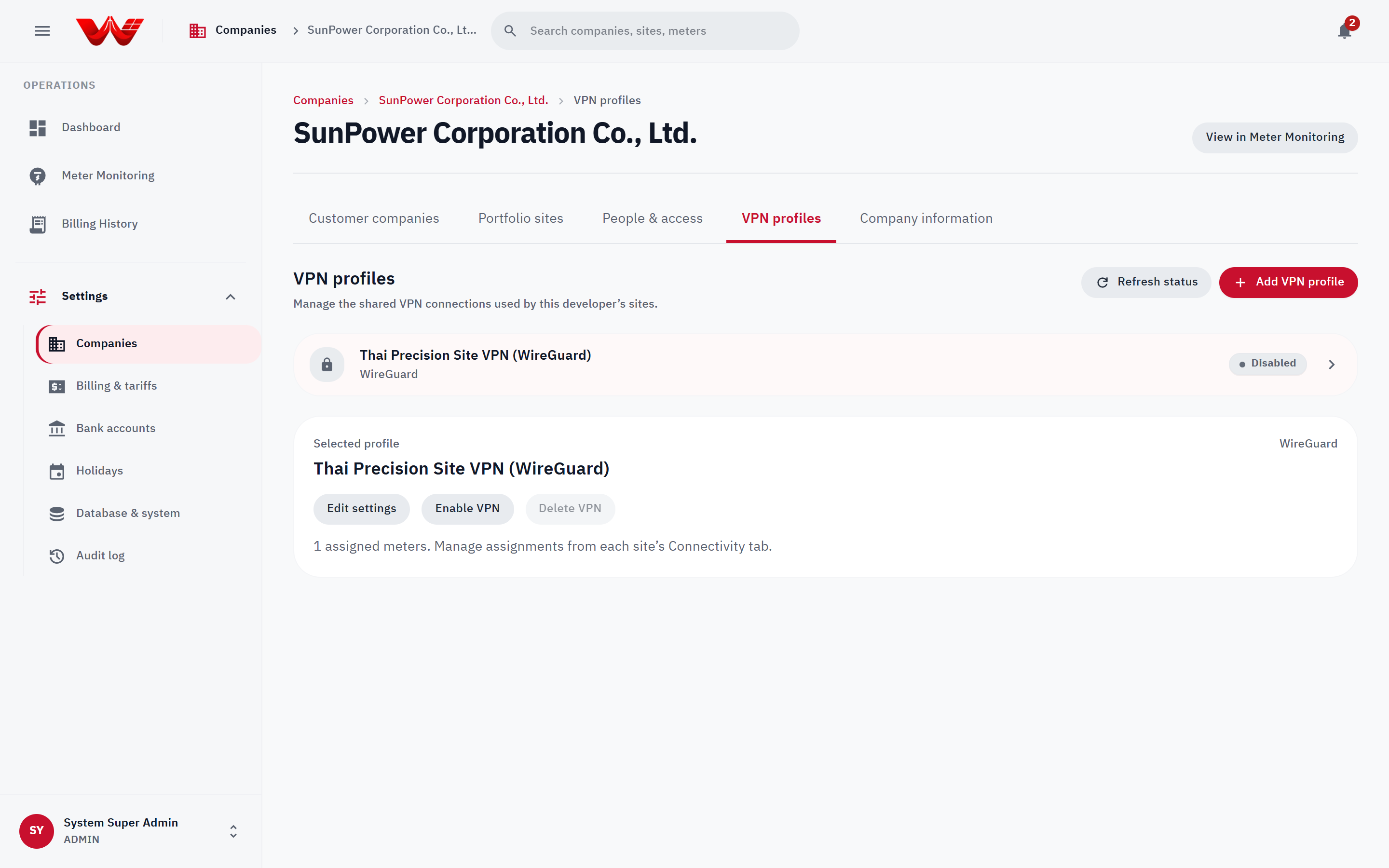 Figure 1: VPN profiles workspace displaying active tunnel status and protocol settings.
Assigning a VPN Profile to a Site Meter
- Open the target site > Connectivity tab.
- Select the VPN profile, choose the meter under HES meter, and click Assign meter.
- Click Unassign only when detaching a meter from the tunnel (unassigning immediately halts HES polling for that meter).
2. Meter Destination Allowlist Policy
Outbound TCP probes (Test connection, Read now) and scheduled .NET HES polling support explicit IPv4 CIDR + TCP port allowlists before dialing field endpoints:
- Inventory every active and inactive meter destination from
backend-api/:bash(Read-only report listing developer org, public meter ID, HES meter UUID, active state, and targetbun run db:meter-destinationshost:port. Handle output as internal operational data.) - Configure matching environment variables:
METER_DESTINATION_POLICIES: JSON map keyed bydeveloperOrgId->[{ cidr, ports }]forhes-command-worker.HES_METER_DESTINATION_POLICIES: JSON map keyed by HES meter UUID ->[{ cidr, ports }]forhes-service.
- Verify all live endpoints (including VPN subnets) in observation mode before switching on
METER_DESTINATION_MODE=enforceandHES_METER_DESTINATION_MODE=enforce. (Enforcement mode refuses loopback, link-local, multicast, unspecified, and IPv6 addresses, and verifies all DNS answers before pinning TCP connections.)
3. Meter Identity Override & Swap Confirmation (meter.identity.override)
Under US-1.19, HES discovers each meter's serial number on its first successful read and blocks billing whenever an observed serial disagrees or collides with another meter. Only Platform ADMIN holds meter.identity.override:
- Open the site under Settings > Meters (or drill in from Meter Monitoring).
- Inspect pending or blocked states (
Waiting for HES to read the serial,Duplicate serial, orSuspected meter swap/Identity check failed). - Verify the physical nameplate with the developer team, then run Correct serial or Confirm swap.
- Provide an explicit Audit reason (minimum 5 characters), recorded permanently in the System Audit Log.
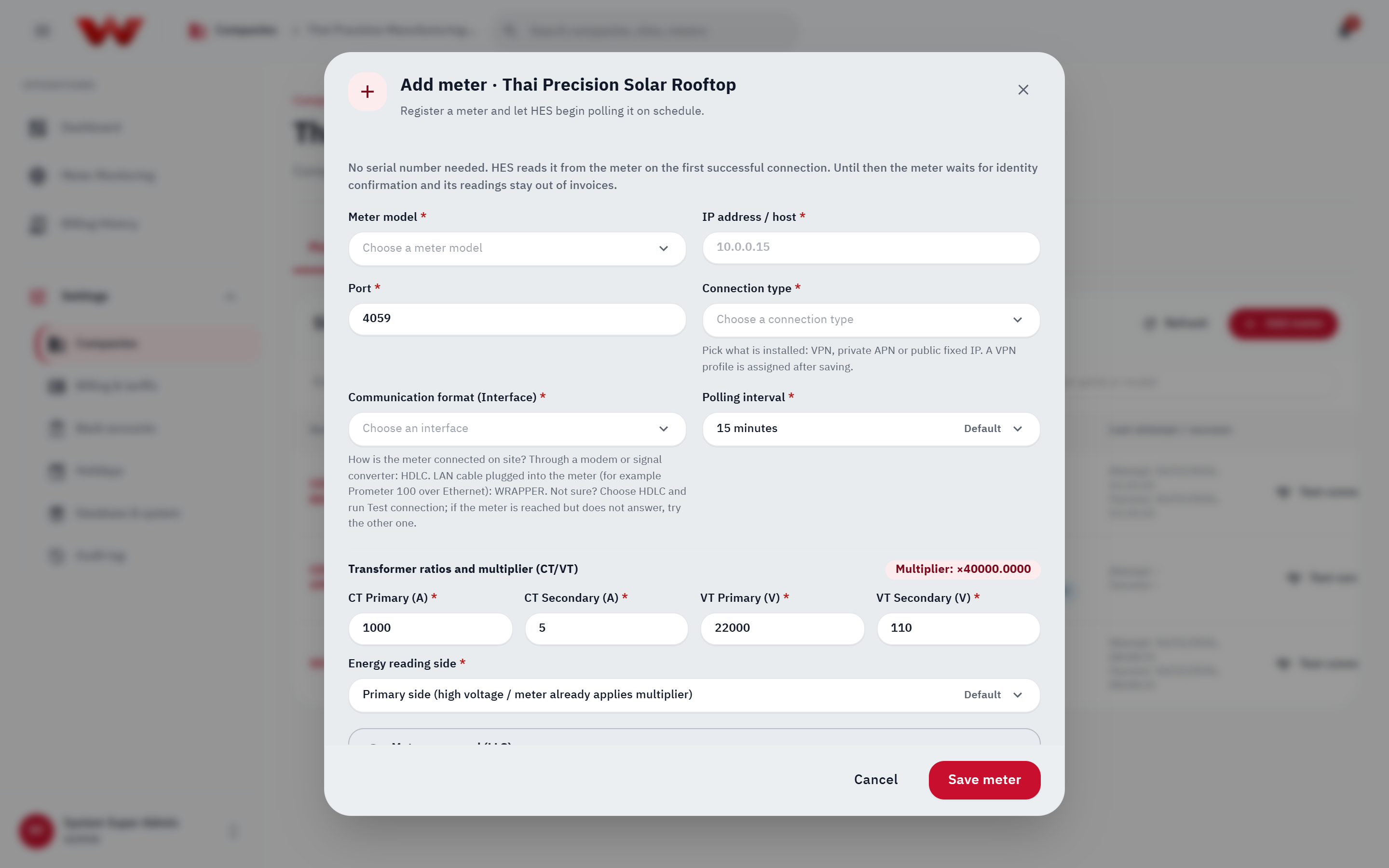 Figure 2: Site meter list used to verify HES identity states, CT/VT configuration, and perform serial overrides.
4. Cross-Tenant Fleet Monitoring & HES Diagnostics (Platform ADMIN & SERVICE)
Both Platform ADMIN and Platform SERVICE can monitor and probe meters across every developer from /meter:
- View as > Developers: Aggregate online rates per Solar Developer to detect regional or VPN gateway incidents quickly.
- Meter Diagnostics (
/meterside panel): Run Test connection or Read now to isolateconfig_error(missing LLS secret on HES host),auth_failed,operation was canceled(HDLCvsWRAPPERmismatch), orconnect_failed/poll_timeout(verify Droplet-to-container VPN routing and firewall rules).
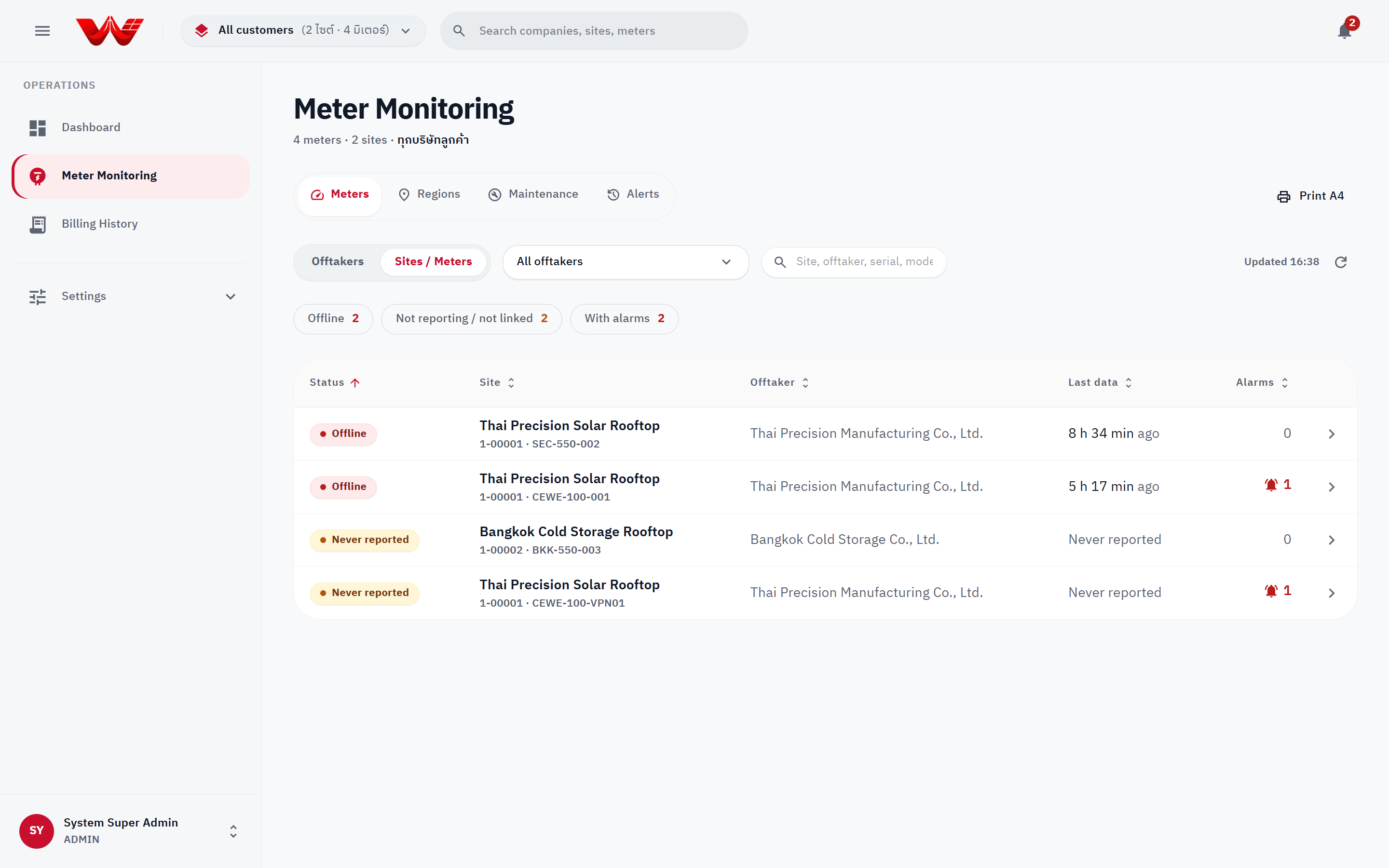 Figure 3: Cross-tenant Meter Monitoring fleet board sorted worst-first.
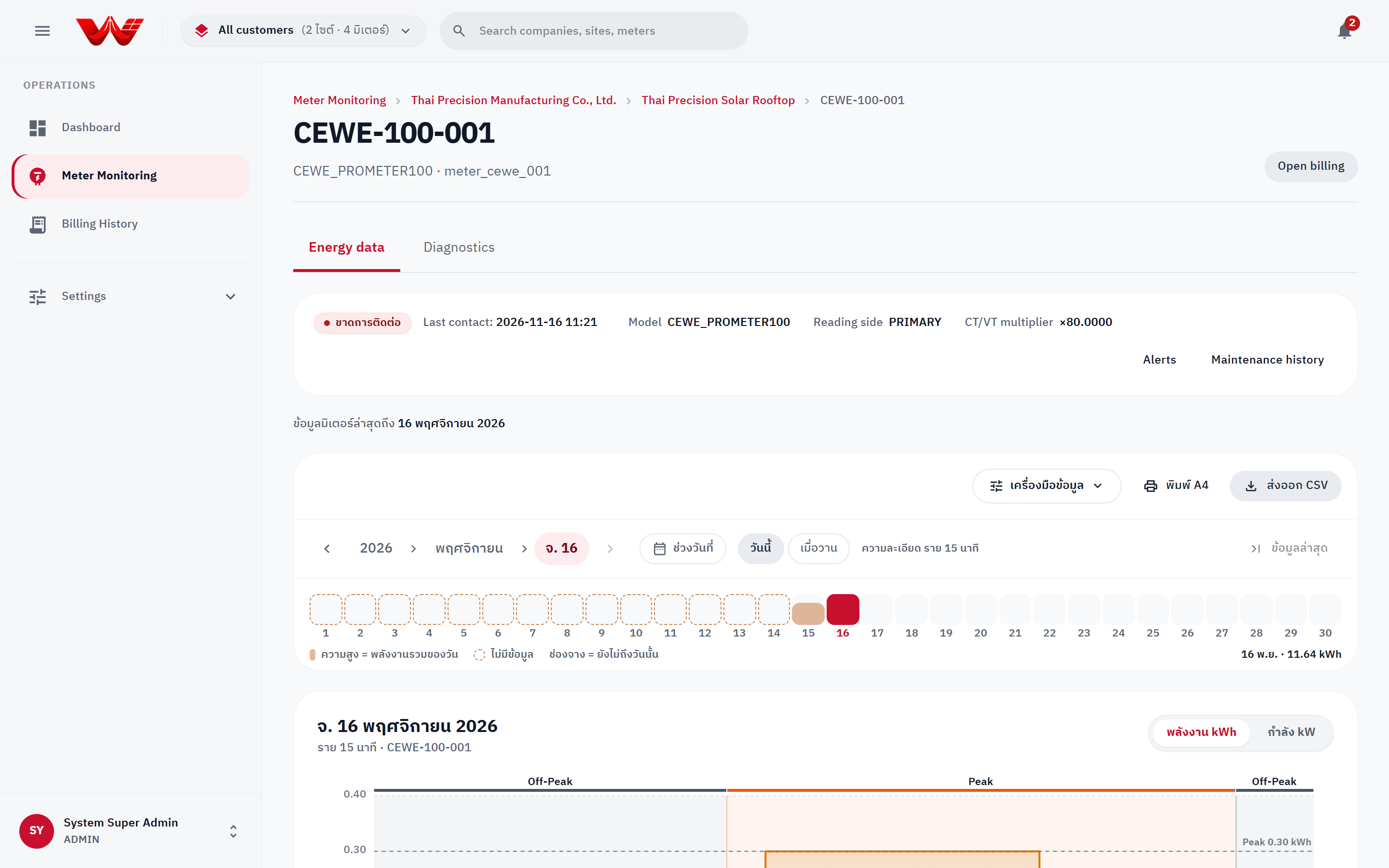 Figure 4: Meter detail and HES diagnostics panel.